![MAIA_LAND_RGB.png]](https://support.maiagrazing.com/hs-fs/hubfs/Logos/MAIA_LAND_RGB.png?height=40&name=MAIA_LAND_RGB.png)
To enter Rainfall on the phone app complete the following:
- Open the app on your phone.
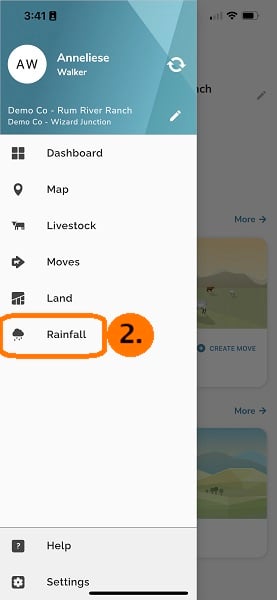
- Tap on the menu icon (≡) at the top left of the screen (1.)

-
Tap on Rainfall in the side navigation menu (2.)
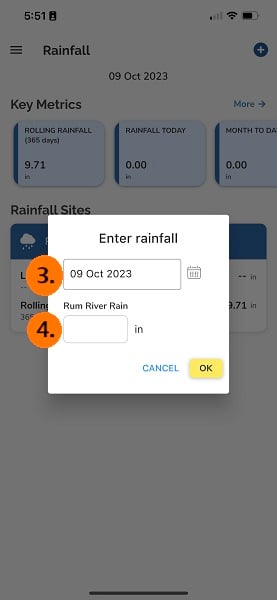
3. Tap on the + sign at the top right of the screen

-
Tap on the data entry box under the required rainfall site.
-
Select the date of precipitation (3.), use the keypad to enter the rainfall amount(4.)
-
Tap on 'Done'

Your daily rainfall has now ben saved.
Your rolling rainfall will be updated to include this amount.