![MAIA_LAND_RGB.png]](https://support.maiagrazing.com/hs-fs/hubfs/Logos/MAIA_LAND_RGB.png?height=40&name=MAIA_LAND_RGB.png)
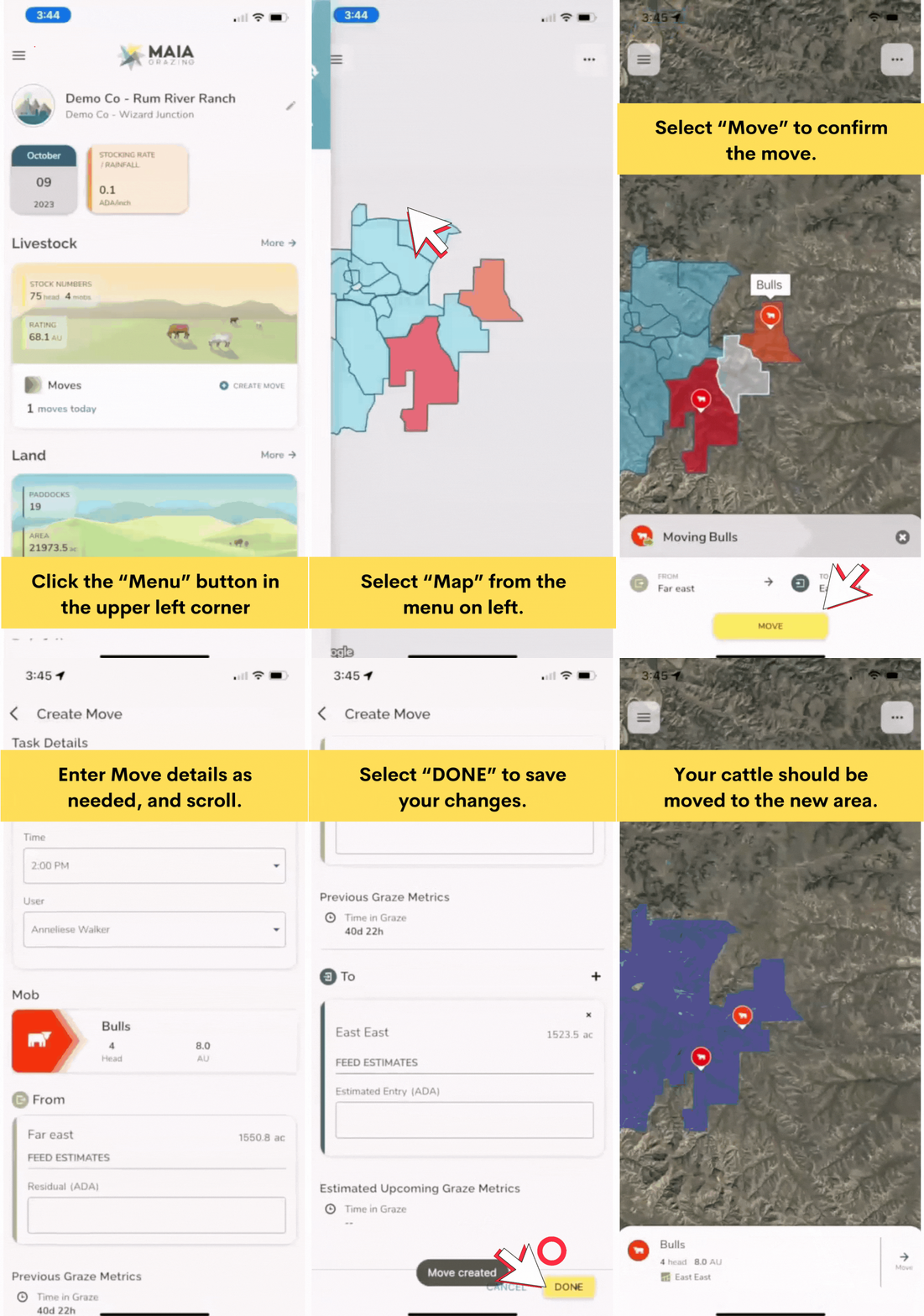
This article explains how to move a mob/herd using the map on the phone app.
-
Open the MaiaGrazing App on your phone.
-
Tap on the 'map tile' on the dashboard.
-
Tap on the icon for the mob/herd you wish to move.
-
Tap on the 'Move' button at the bottom right of screen.
-
Tap on the 'paddock/pasture' you would like to move the mob into (the boundary of this paddock/pasture will become highlighted).
-
Tap the 'move' button at the bottom right of the screen.