![MAIA_LAND_RGB.png]](https://support.maiagrazing.com/hs-fs/hubfs/Logos/MAIA_LAND_RGB.png?height=40&name=MAIA_LAND_RGB.png)
There are three ways to enter your pasture observations.
-
Through the Pasture/Paddock Management Screen on the desktop app - see Steps below
-
Through the Pasture Inventory Screen on the desktop app. (allows for bulk update of some/all paddocks at once)
-
Through the Phone App
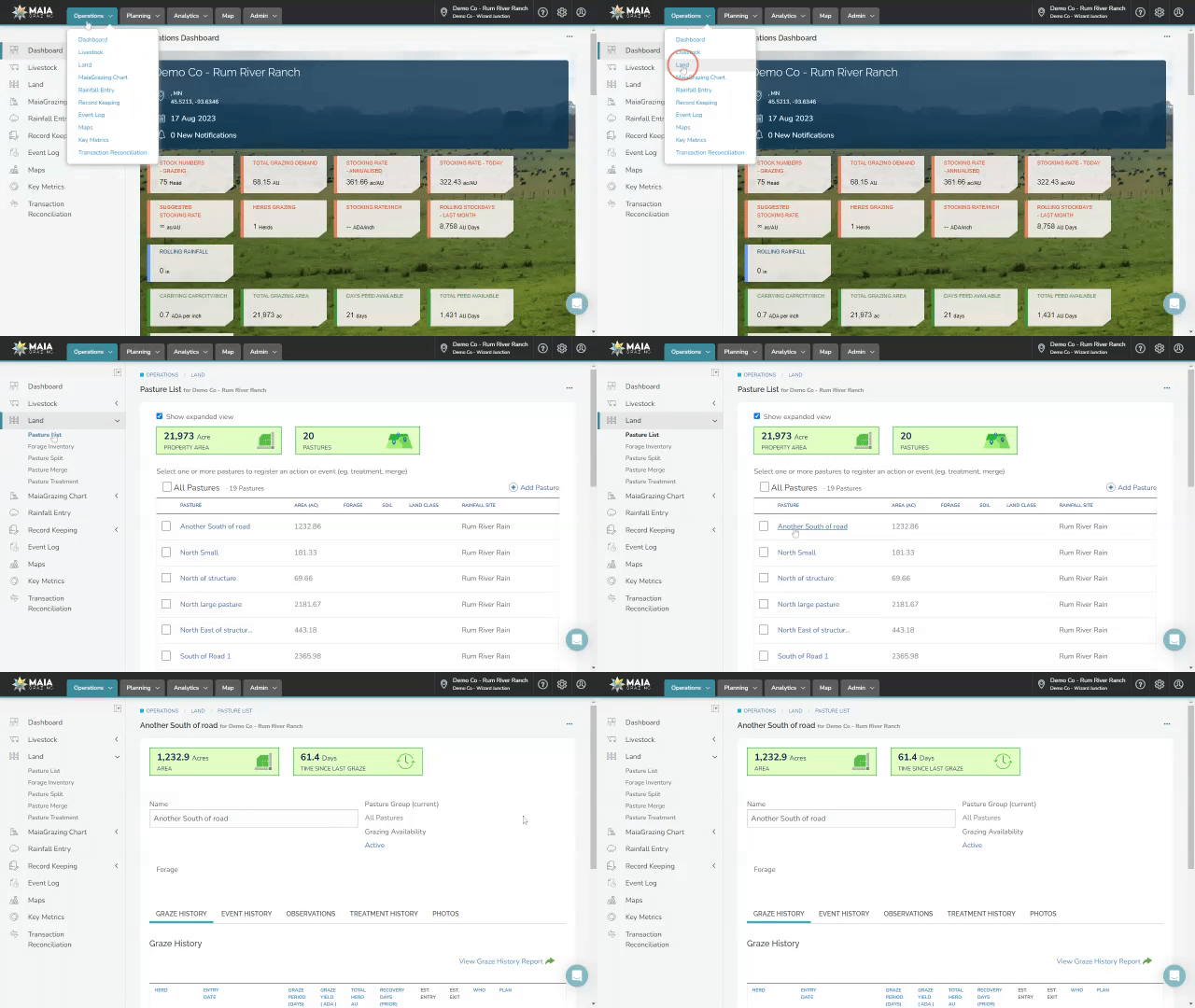
Step 1: To access your paddock/pasture management screen.
- Click on 'Operations'
- Click on 'Land’
- Click on ‘Pasture List’
- Click the ‘Pasture Name’
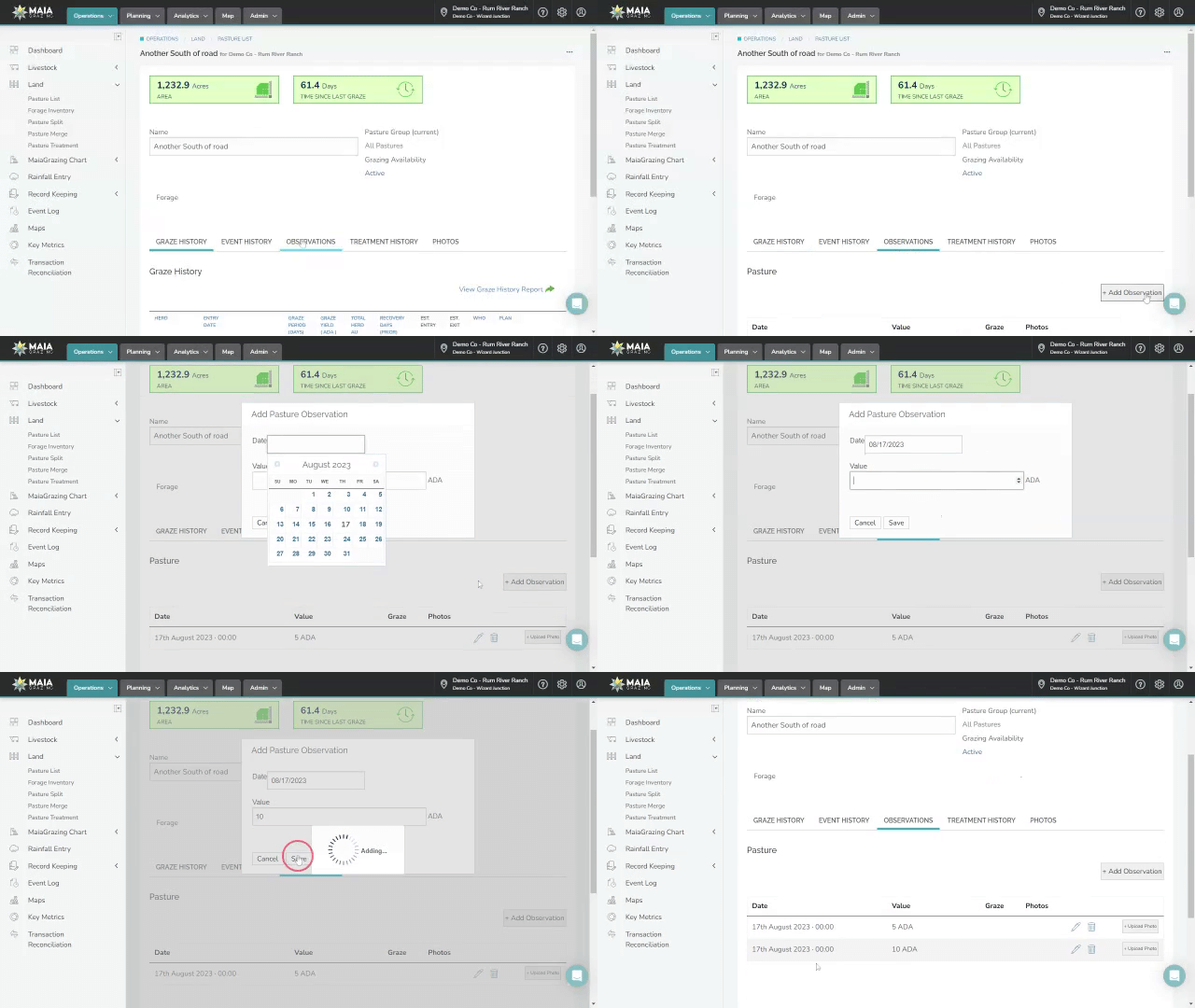
Step 2: Enter the pasture observation.
- Click on 'Observations'
- Click on '+Add Observation'
- Click in the 'Date' box and Select a date
- Click in 'Value' box add your observation
- Click 'Save'
Observation
Entered observations will appear in a list below the paddock/pasture information with the most recent observation at the top.
The most recent observation will flow through into:
-
the pasture inventory screen and will be used in the Feed On Offer (FOO) calculations.
-
the paddock/pasture analytics reports
-
mob move screens to calculate remaining pasture after graze is completed.