![MAIA_LAND_RGB.png]](https://support.maiagrazing.com/hs-fs/hubfs/Logos/MAIA_LAND_RGB.png?height=40&name=MAIA_LAND_RGB.png)
Accessing the move screen
-
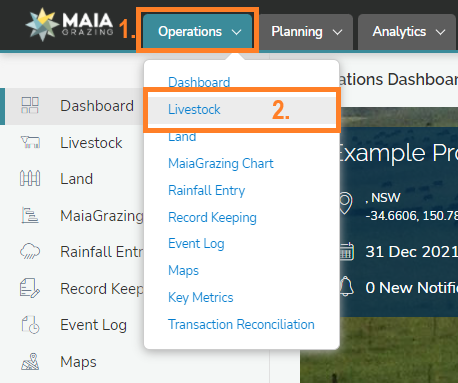
Click on 'Operations' (1.)
-
Click on 'Livestock' (2.) This will open up in Mob/Herd List
-
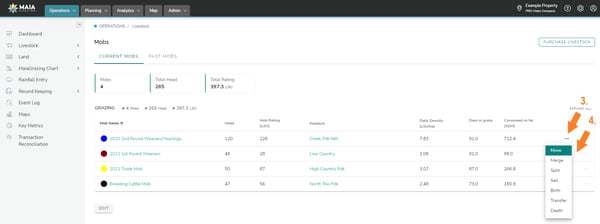
Scroll down the mob/herd list and locate the mob/herd to be moved
-
Hover over the 3 dots to the right of the mob/herd to be moved. (3.)
-
Click "Move" in the drop down menu. (4.)
The mob/herd move screen should now open.
The move screen.
The mob/herd move screen has three tabs across the top.
'Move Details' this tab is for entering the date of the move and the paddock the mob/herd is to be moved into. This tab is the only tab that must be completed in order to perform a mob/herd move.
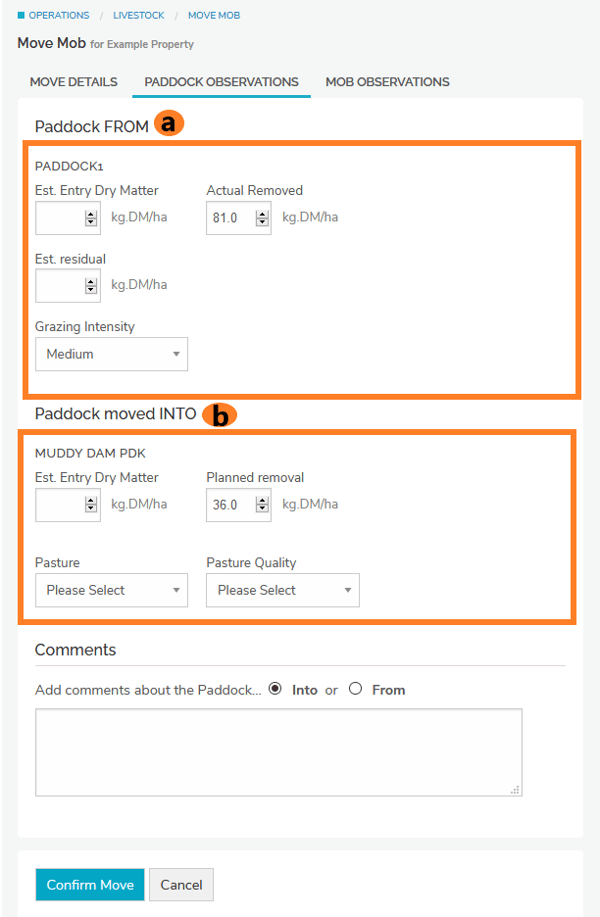
'Paddock/Pasture Observations' tab (A) is optional. This is where you can enter estimated entry/exit dry matter available and pasture conditions and observations.
'Mob/Herd Observations' tab (B) is optional and is where you can enter your observations of the current mob/herd while completing the move. Such as the number of animals in the mob, their average weight, and average livestock unit rating.
Completing the 'Move Details' tab
-
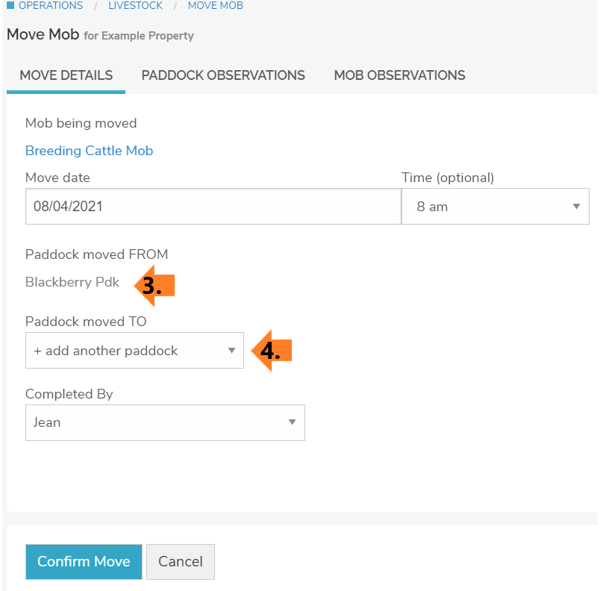
Check that the mob/herd that you wish to move is displayed in blue (1)
-
Click into the data entry box under 'Move Date'
-
Enter the date of the move (2)
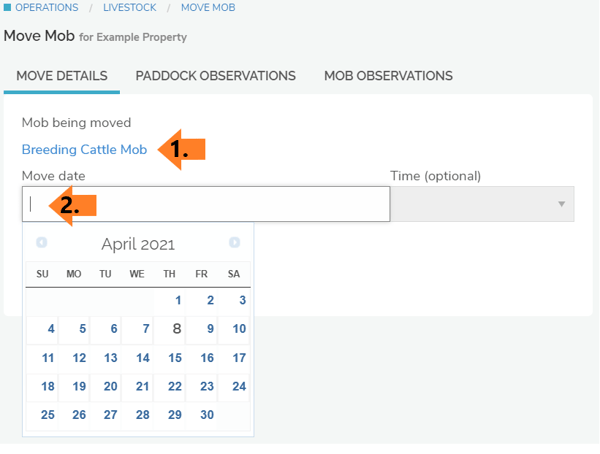
Once the mob/herd has been selected and a date entered more options will become available.
The paddock/pasture where the mob/herd is grazing on the date selected will be shown 'Paddock moved FROM' (3)
-
Click on the drop down menu under 'Paddock/pasture moved TO' (4)
-
Click on the name of the paddock/pasture you want to move the mob/herd into
-
Click onto the 'paddock/pasture observations' or the 'mob/herd observations' to enter these details if required.
-
-
Completing the 'Paddock/Pasture Observation' tab (optional)
-
Enter paddock/pasture observations for the paddock/pasture that the mob/herd is being moved out of in the top section of the tab 'Paddock/Pasture FROM' (a)
-
Enter paddock/pasture observations for the paddock/pasture that the mob/herd is being moved into in the bottom section of the tab 'Paddock/Pasture moved INTO' (b)
Completing the 'Mob/Herd Observation' tab (optional)
-
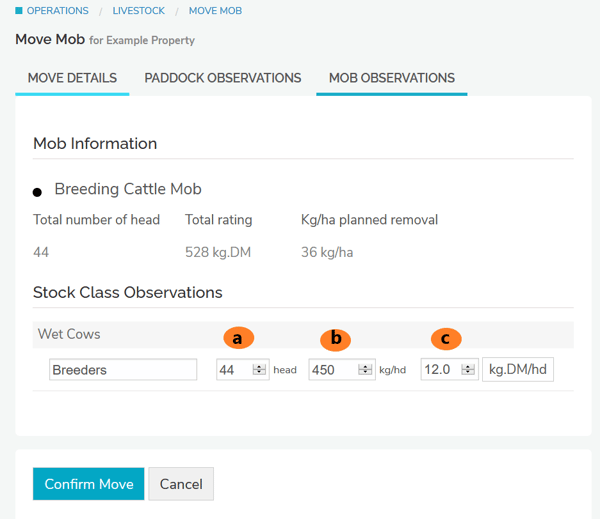
Update number of head in box (a) (You will need to enter a reconciliation for any stock gains or losses)
-
Update weights as required (b)
-
Update stock feed demand ratings (c)
-
Click on the 'Confirm Move' button when data entry is complete