![MAIA_LAND_RGB.png]](https://support.maiagrazing.com/hs-fs/hubfs/Logos/MAIA_LAND_RGB.png?height=40&name=MAIA_LAND_RGB.png)
Splitting a mob/herd is how you tell MaiaGrazing that animals from one mob/herd have been split off or removed from the original mob/herd and either combined with another mob/herd or create a new mob/herd.
This article will explain:
Splitting into a New Mob/Herd
-
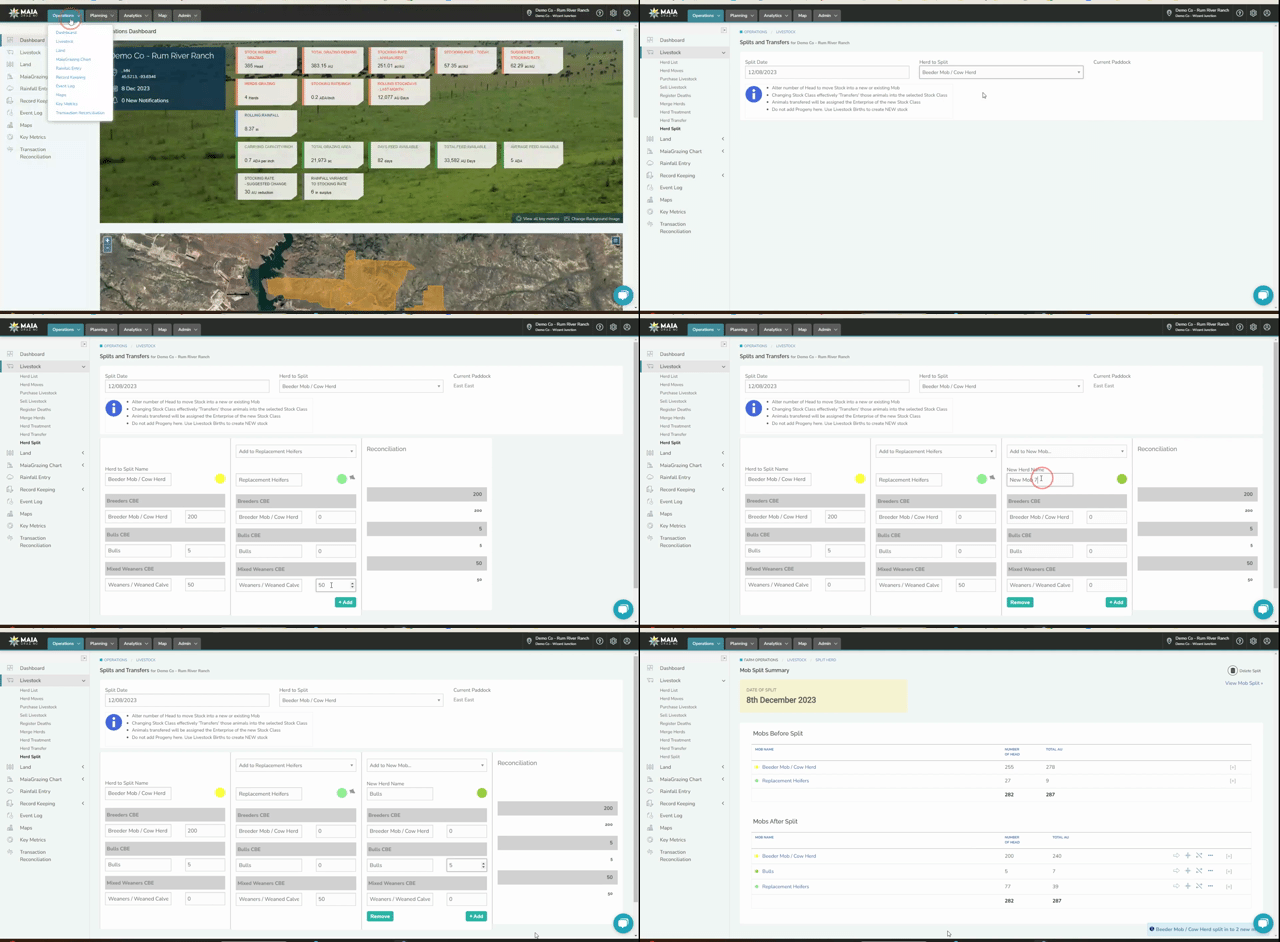
Click on ‘Operations’
- Click on ‘Livestock’
- Click on 'Herd Split
- Wait for the Splits and Transfer Screen to open.
-
Click in the ‘Split Date’ box, select the date from the calendar the split occurred.
-
Click on the drop-down arrow for ‘Herd to Split’ select the mob/herd to split.
-
Wait for the Mob/Herd columns to appear.
- Check that the details of the original mob/herd to be split are correct.
- Click 'Add to New or Existing Mob' and Select 'Add to New Mob'
- Click in the data box below 'New Herd Name' Type in the new name of the mob/herd.
- Click the data box next to the herd you are splitting and Enter the number of head that will be splitting off
- Click out of the data box
- Click 'Save Mobs'
- Click 'Complete'
- Click 'Herd List'
- Move the Mob/Herd into a paddock/pasture - Click here for help making a move
Splitting into an Existing Mob/Herd
-
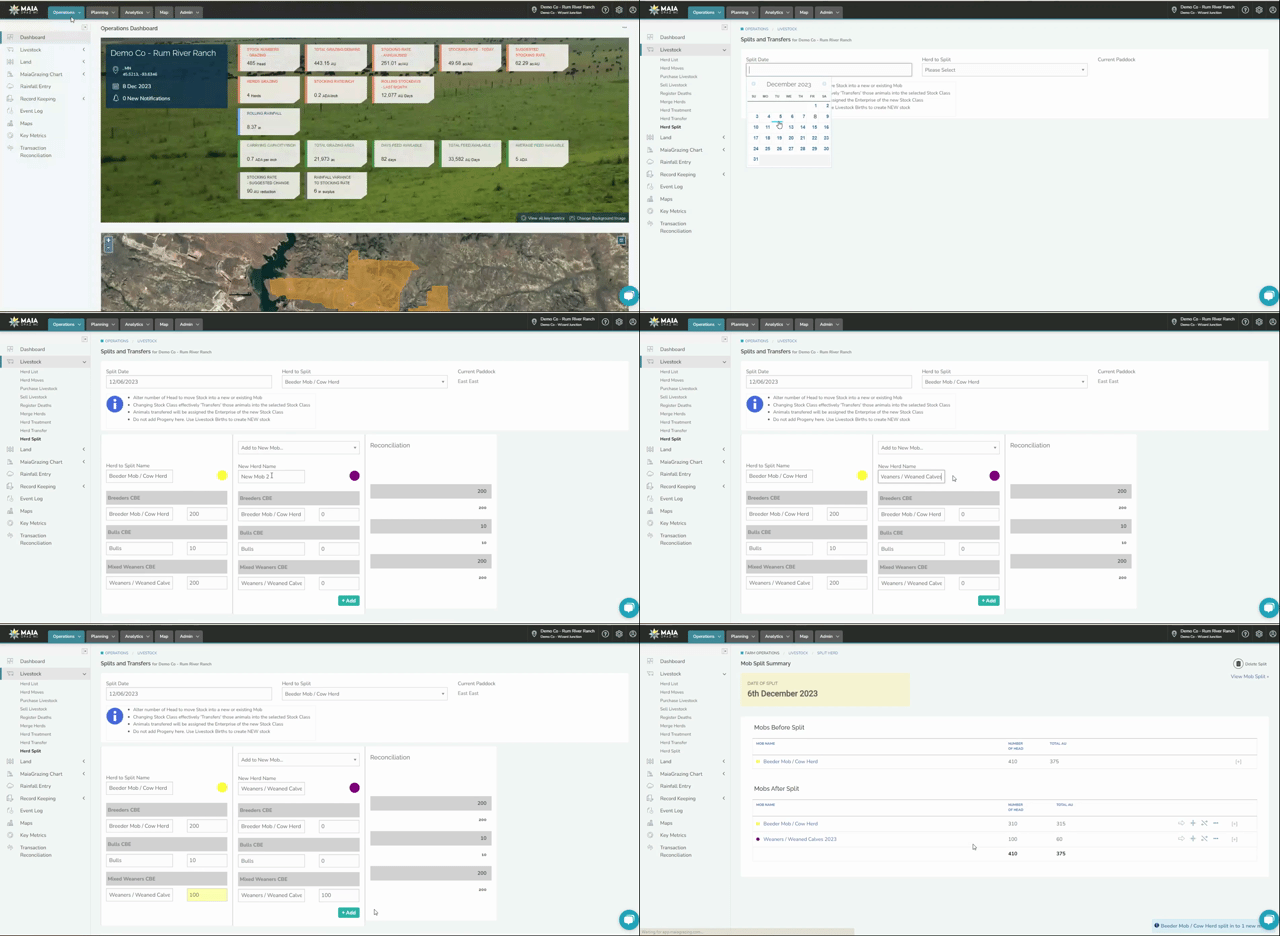
Click on ‘Operations’
- Click on ‘Livestock’
- Click on 'Herd Split
- Wait for the Splits and Transfer Screen to open.
-
Click in the ‘Split Date’ box, select the date from the calendar the split occurred.
-
Click on the drop-down arrow for ‘Herd to Split’ select the mob/herd to split.
-
Wait for the Mob/Herd columns to appear.
- Check that the details of the original mob/herd to be split are correct.
- Click 'Add to New or Existing Mob' and Select 'Add to (the name of the existing herd)'
- Check the details are correct.
- Click the data box next to the herd you are splitting and Enter the number of head that will be splitting off
- Click out of the data box
- Click 'Save Mobs'
- Click 'Complete'
Splitting into Multiple Mobs/Herds
-
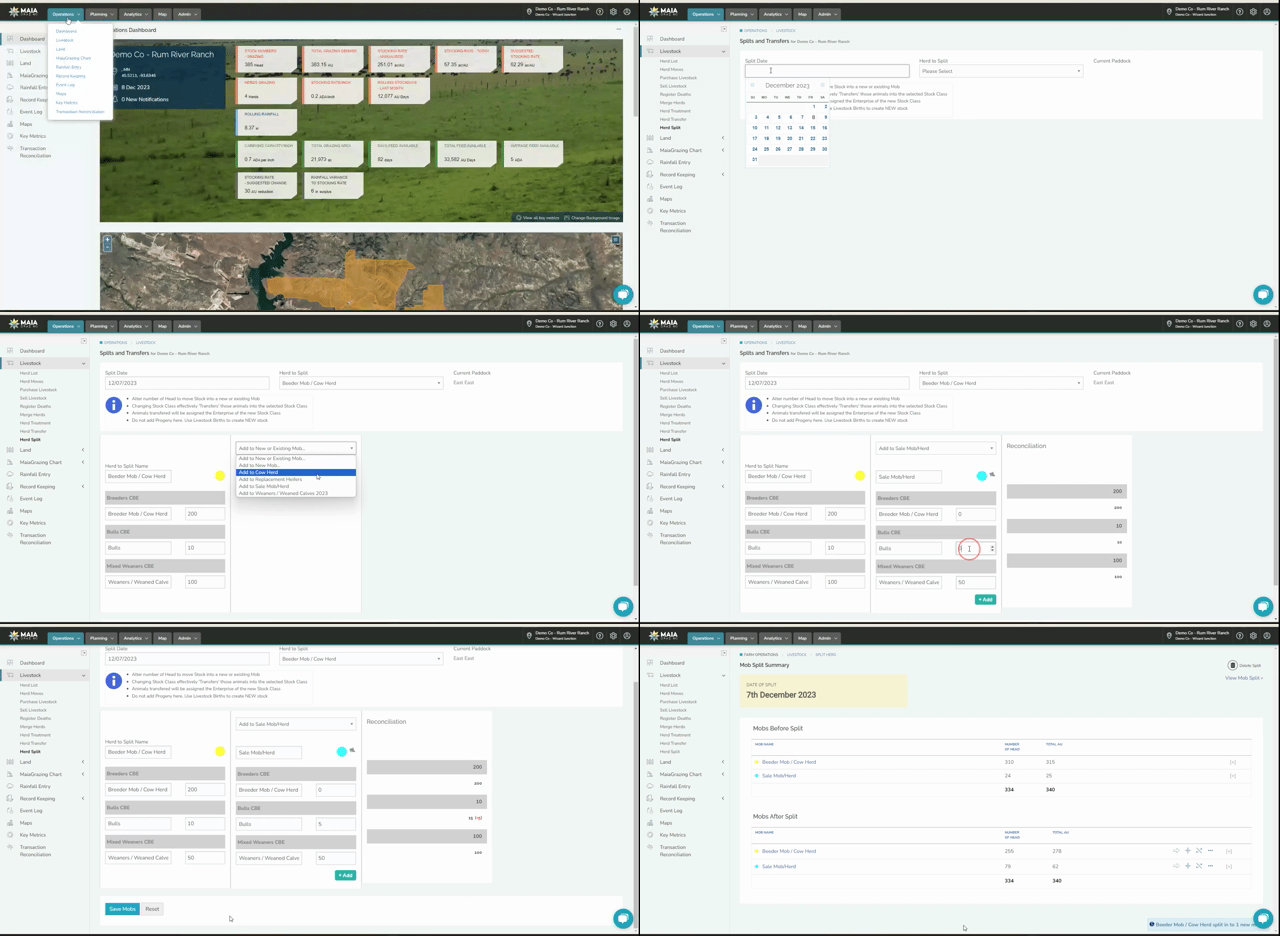
Click on ‘Operations’
- Click on ‘Livestock’
- Click on 'Herd Split
- Wait for the Splits and Transfer Screen to open.
-
Click in the ‘Split Date’ box, select the date from the calendar the split occurred.
-
Click on the drop-down arrow for ‘Herd to Split’ select the mob/herd to split.
-
Wait for the Mob/Herd columns to appear.
- Check that the details of the original mob/herd to be split are correct.
- Click 'Add to New or Existing Mob' and Select 'Add to (the name of the existing herd)' OR 'Add to New Mob'
- Click the data box next to the herd you are splitting and Enter the number of head that will be splitting off
- Click
 to add another mob/herd to split into
 - Click 'Add to New or Existing Mob' and Select 'Add to (the name of the existing herd)' OR 'Add to New Mob'
- Click the data box next to the herd you are splitting and Enter the number of head that will be splitting off
- Click out of the data box
- Click 'Save Mobs'
- Click 'Complete'
- Click 'Herd List'
- Move the Mob/Herd into a paddock/pasture - Click here for help making a move